In-flight Internet
AVOID CARPAL TUNNEL SYNDROME


Laptop Stands for in-flight internet & use on Airline Tray Tables

The Ergonomic Laptop Stands by Keynamics LLC allow for very comfortable laptop typing, while avoiding carpal tunnel syndrome & musculoskeletal disorders. The ergonomic notebook stands meet the guidelines of the Occupational Health and Safety Administration (OSHA) for ergonomic computer workstations, such as their emphasis on reclining and frequently changing your position as you work (that's where the wheels come in handy) See OSHA's site at osha dot gov and search "Computer Workstations" - Our laptop tray complies!

Both OSHA and the Centers for Disease Control and Prevention have spoken out, on the ergonomic problems that laptops deliver to you, the user. Among these problems, Keynamics has solved many, such as the need to raise your laptop screen toward the plane of your eyes and the need to hold your wrists at a neutral posture. We allow you to achieve this neutral wrist posture, regardless whether you use our riser on top of your desk or off the front edge of your desk. Our notebook platform will safely cantilever your laptop out over the edge of your desk so you can recline as OSHA recommends.

The wheels allow you to quickly move your laptop out of the way, freeing up your desktop for other tasks. As you can see, we reach your ergonomic goals without asking you to buy a separate keyboard or a monitor.

The problem: A typical desk height is 29 inches, which is too high for proper keying and too low for proper viewing. The laptop keyboard is attached to the screen. Raise the screen to correct the viewing angle and your keyboard is too high for proper keying. Lower the keyboard for proper "neutral wrists" and the screen is too low for proper viewing. (Hence - "The Hunch")

The Laptop Stand On Wheels functionally separates the keyboard from the screen, by changing both the user's position and the laptop position. Other stands only change the laptop position.

Furthermore, they were wrong all those years when they told you to sit up straight. Sitting up straight compresses your spine. Think about it, would you drive a car sitting up straight - not for long!

Reclining transfers much of the downward pressure off your spine.As an added bonus, the airspace and heat convection reduces laptop heat.

We have sold hundreds of these notebook stands and the feedback has been tremendous.  Users are claiming to achieve neutral postures, reduction in repetitive stress injuries, carpal tunnel syndrome, wrist pain and neck pain.

airplane laptop stand
Lounge Chair Notebook Stand
laptop_stand_wedge
Pink Laptop Stand for Breast Cancer Donations
Pink Ribbon
Custom Logo Program
Arrow Laptop
Ergonomic Arrow
laptop_stand_header
Original ewheelie
Notebook Stand Header
Airplane Tray Table Laptop Stand

Aviator white

 Problems / Solutions     |    BodyBilt Office Chairs     |    Goldtouch Keyboards     |    Workstation Tools   |   PLANTRONICS  Headsets   |   How To Buy        PRESS
Aviator Gray
Landcruiser on Laptop Stand
Cross Lock
Laptop Stand Assembly Instructions
Notebook Stand
Blue Laptop Stand
BodyBilt Executive Office Chair
BodyBilt Ergonomic Office Chairs
laptop stand recline on desk
Reviews
Testimonials

KEYNAMICS ®     Patented Laptop Stands - Home Based or On-The-Go

If you are seeing this, your Browser is not allowing you to run our Flash Picture Slide Show.

Please click on the bar above to allow active content (Flash) to run.

Our Site is safe & secure.

laptop_stand_header_black

You will not find another laptop stand built like it.

30 day, 100% satisfaction guarantee.

laptop_stand_perspective_view
laptop stand white
Featured in:
Conde' Nast Traveler
New York Times
Today Show
Hemispheres

OSHA Recommends Reclining.  You will not find another laptop stand that cantilevers your laptop out over the edge of your desk, so you can achieve an "Open Posture". We have the only laptop stand that positions a laptop to comply with OSHA's recommendations of reclining and frequent changes in posture - and it doesn’t require an external keyboard or monitor.   See the "Problems/Solutions" page to find out more.

* Ergonomists Recommend a Headrest when Reclining *

laptop stand hunch
laptop stand with port replicator
Port Replicator & Wire Friendly
laptop stand reclined position
Tired of reaching around your laptop?
Just Roll it out of the way...It's on Wheels!
COOLER

LAPTOP
CLICK HERE
Laptop Heat Causes Overheating and Damage to your Notebook.  Cooler Laptops Last Longer.
NO HUNCHING!
"Lean Back - Work Smarter"
Avoid Carpal Tunnel & Repetitive Stress Injuries


14 Points For Improved Notebook Ergonomics


1.  Opening laptop “functionally” separates the keyboard from the screen


notebook-stand


2.  Raises the screen to proper viewing level

3.  Lowers the keyboard to proper keying level

4.  Reclining and cantilever features change the user / laptop spatial arrangement (corrects desktop height problem)


notebook-riser


5.  Resting elbows on chair armrests reduces forearm and wrist pronation (see animation below)

6.  Reclining provides total back support reducing compression on spine

7.  Opens elbow angle greater than 90 degrees for proper circulation

8.  Opens torso angle for proper circulation

9.  Opens knee angle for proper circulation

10. Neutral wrist posture

11.  Neutral Neck posture

12.  Corrects viewing angle (reclining lowers line of sight)

13. Wheels allow frequent changes in posture (OSHA recommends changing your working position frequently. Working in the same posture for long periods of time is unhealthy)

14. Wheels allow more efficient use of desktop area. Being able to quickly and easily move your laptop to the side, allows utilization of the desk space immediately in front of you, instead of having to reach around the laptop


OSHA's site lists the follow statement:


Regardless of how good your working posture is, working in the same posture or sitting still for prolonged periods is not healthy. You should change your working position frequently throughout the day in the following ways:


OSHA-Computer-ergonomics               OSHA-computer-workstation


     Click Image above to go to OSHA site

Universal - Even fits the 17" wide screens
Laptop Stand Over Desk
Copyright ©  2004  Keynamics LLC     Legal / Privacy   |    Instruction Manual & Safety Guide    |    Endorsements    |    Wheels    |   Contact Us   |     FAQ   |    Specs    |   Keyboard Holder
Goldtouch®
Keyboards
Visit Our Sister Site on Keyboard Ergonomics.  Our Laptop Stand works on Keyboards too! www.keyboard-ergonomics.com
Click Here
Goldtouch Keyboard Tray
BODYBILT Ergonomic
Office Chairs
More Comfort...
...More Options
More Adjustability


"Call or email Keynamics For a No Obligation Chair Trial"
888-660-5057

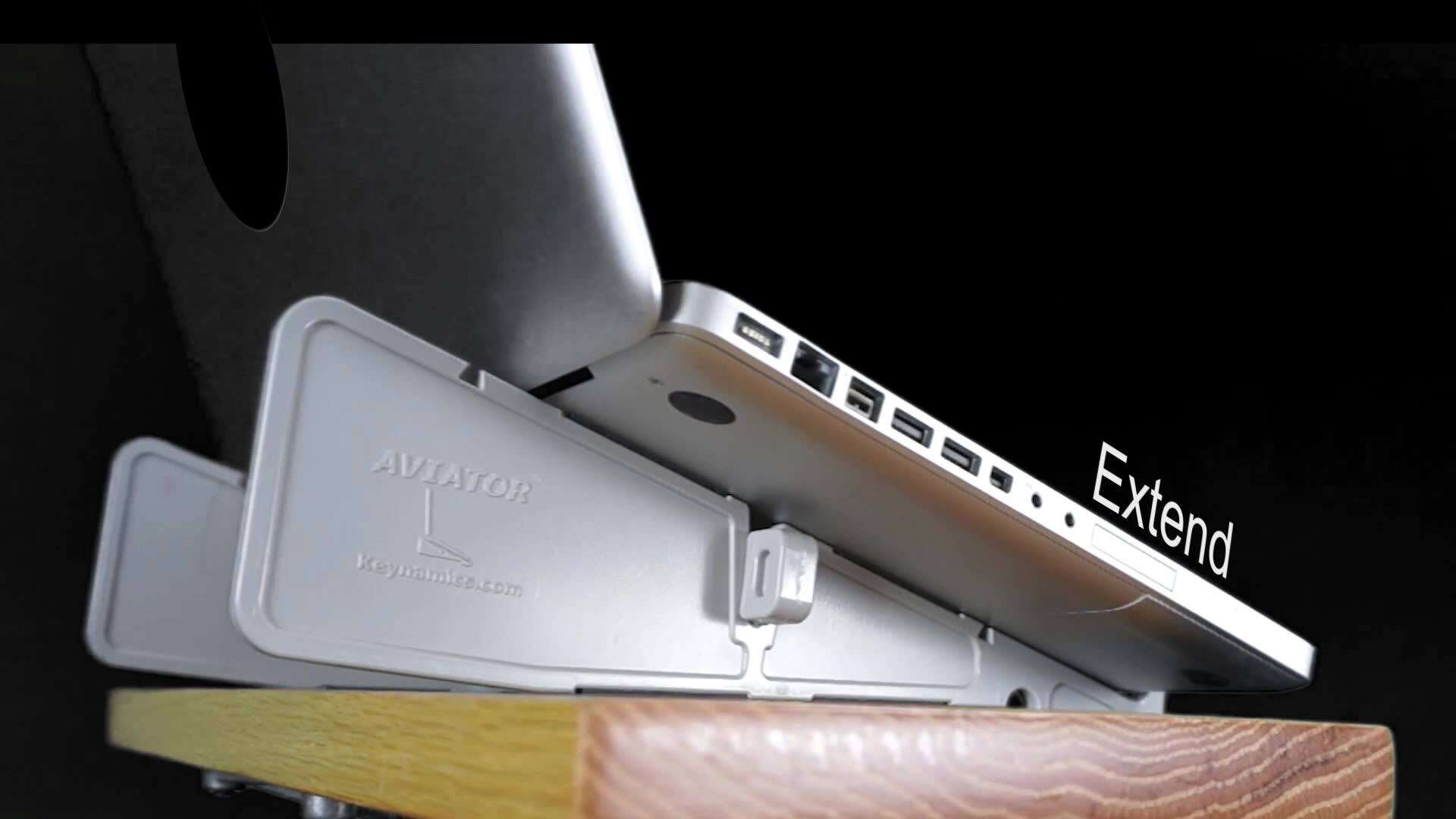
The laptop stand has a counterweight in the back, safely extending your laptop over the edge!
*The Only Laptop Stand Featured in Leo Laporte's 2006 Gadget Guide
eWheelie® Laptop Stand
"Invented Here"
AVIATOR™ Laptop Stand
PLANTRONICS
Headsets
Plantronics Wireless Office Headset System
Plantronics Office Headsets

Increase Productivity By 22%

Ergonomics is all about Increasing Efficiency
The Plantronics CS50 Wireless Office Headset System with lifter brings the ultimate in mobility and hands-free conversations to your office phone. The CS50 has up to eight hours of talk time, roaming distance of up to 300 feet, secure conversations, and with the included Plantronics HL10 handset lifter, remotely take or end a call with a press of a button.
Goldtouch Keyboard Ergosuite
ergofusion
Ergonomic
Workstation Tools
Keyboard Tray ergofusion
Keyboard Trays
Computer Foot Rest
Computer Foot Rests
Raises the Screen and Lowers the Keyboard
At the Same Time!
For Laptops On The Desktop ®
Our Original Reclinable Laptop Stand
On Wheels
(Not For Travel - Fits Keyboards Too)
airline in-flight internet
"Take A Stand"  Anywhere!
Around Town or Around the World

Turns ANY Flat Surface into a
Computer Workstation!

Made in the U.S.A.
IMS - Plastic Injection Molders
Add to Cart
Add to Cart
travel laptop stand
In-flight laptop fold
Only a half an inch wide when stored
&
9 Ounces
Add to Cart
Add to Cart
$19.99
MSRP 24.99
Black $19.99
Gray $19.99
White $19.99
Desk Stand
Assembles in Seconds to form a Sturdy
& Stable Platform
Holding your Laptop Securely in Place

Locks Together to Store Easily in the Side Pocket of a Briefcase
Laptop Fire
Airplane in-flight internet
Designed to Accommodate the Reclined Seat in Front
Keynamics Offers a Complete Range of Ergonomic Office Products
Hotel travel Laptop Stand
Specs:   Stored Dimensions 12.62" L x .50" W x 3.35" H

Riser:  12.62" L x .25" W x 3.35" H
Crosspiece: 10.5" L x .50" W x 1" H

Riser Spacing: Outer 8.75",  Inner: 5.75"

Riser Top Surface Contact Area 12"


Universal - Fits all Laptops
Easy To Use
Easy to Carry
Easy To Assemble
Black eWheelie Sale $109.99  (Reg $119)
Add to Cart
Add to Cart
Did we mention that it's Strong and Stable?
"Yes, that's a 4,800 lb Land Cruiser on a 9 ounce AVIATOR™ Laptop Stand"

Note: Please do not drive your car onto the AVIATOR™ laptop Stand.  It will void your warranty.  This is only to demonstrate that if the laptop stand can hold this weight, it will certainly hold the weight of a laptop.
6 Point Contact
Locks Crosspiece
The strength comes from the 6 point contact area where the crosspiece wedges into the "V" Notch
Laptop Stand at Airport Gate
Great for the Wait at Airport Gates
The Aviator laptop Stand has a 30 day 100% satisfaction money back guarantee. If for any reason you don't like your stand, we will gladly refund your money.  See our return policy at the bottom of the "How to Buy" page and on your receipt.

Please see below for our other Ergonomic Office products.
DVD Stand for Airplanes
Use the inner two slots for smaller laptops or as a DVD Player Stand
Black
Order Now
Other Colors Below
Comfort is Ergonomic
We are only shipping to the US & Canada at this point
See "How To Buy" page for International Orders
* Canada Orders are Subject to Import Taxes upon Delivery *
Intel study reveals that 51% of vacationers will take their laptop with them on their next trip!
According to the annual Airline IT Trends Survey, 59 percent of airlines plan to offer in-flight internet access by the end of 2008
BodyBilt K3502
Executive Chair
Note: The Keynamics® Laptop Stands are not offered as a cure for any medical condition.
Natural Airflow
  Cools Laptops
Increases Battery Life
Smaller Keyboard Formats on Laptops are a challenge, even for the best touch typists.

Angling the keyboard allows easy viewing for finger placement, without having to bend your neck down to look at the keys....No Hunching!
Mac Opinion   "...the new standard for lightness and compact storage combined with convenient simplicity of setup and innovative features is the new Aviator stand from Keynamics". - Charles W. Moore - See Reviews
For Laptops On The Desktop ®
INCREASES
NATURAL
AIRFLOW
Click Here
Larger View
openfos - Industrial Supply Search
No Stand
Cools Better!
See Why
HOTEL
ROOMS

99% Recycled Waste &
Made in the USA
Means it's Greener

$100 Laptop - Children / Laptop Ergonomics
One Laptop Per Child

Breaking News - Reclining is the Healthiest way to Sit

Our Laptop Stands are the only laptop stands that are designed to Encourage Reclining

* Ergonomists Recommend a Headrest When Reclining *

I've used this stand around the house for a few months now and love it. I've also taken it on trips and it takes almost no space in my travel bag. At home I mainly use it on my lap. I've got a Dell laptop that overheats and shuts off if I don't get good airflow under it. With the other laptop desks I've used, they didn't prevent the shutoff problem because usually a solid surface is under the laptop, allowing little ventilation. With this stand, however, I get great ventilation, and since using it, my Dell has not overheated and shut off once!         Raleigh , NC
US Patent 6745986
Order your Aviator in Pink and we will donate $2.00 from every sale to support breast cancer initiatives.
$19.99
Order Now
We'll Donate $2.00
BROCHURE
INSTRUCTIONS
PDF
INTERNATIONAL ORDERS
Other Items From Keynamics
WORKS ON ANY FLAT SURFACE
See How to Properly Sit at Your Desk - From OSHA - The Authority on Workplace Safety
Worldwide Laptop Sales Will Hit 136 Million Units for 2008
Extends Laptop Past Desk Edge

Poor
Postures

More Comfort
Less Hunch
New Blue Color
"Limited Quantities"
Add to Cart
$19.99
Check out the Latest In-flight Internet Routes
Who Says a laptop can't be MORE comfortable than a desktop?
- Click to Enlarge -
Do Not Buy a Wobbly Laptop Stand - Click Here